How Grocery Apps With Personalized Markdown Alerts Differ From Standard Weekly Circular Deals and Which Shoppers Capture the Most Savings
Robert Kim
09/17/2026
5 min read
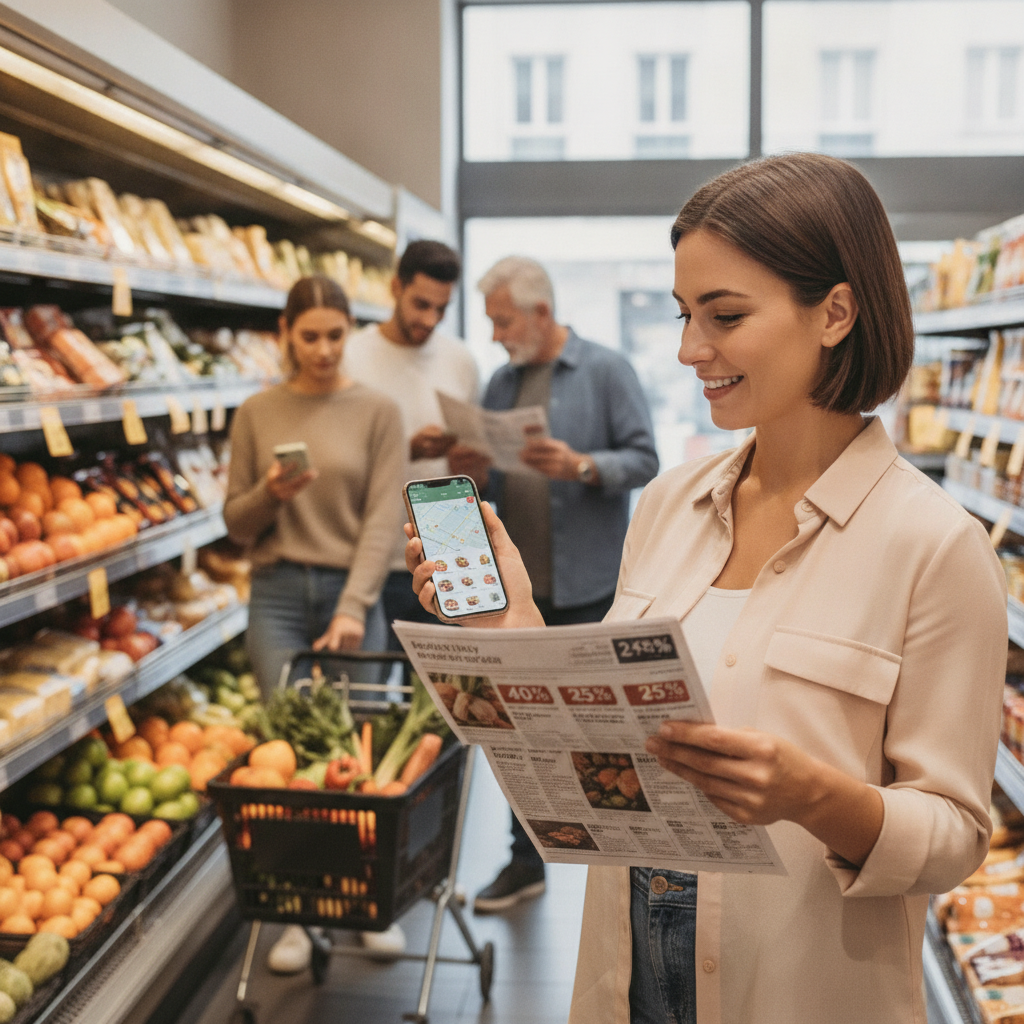
Most grocery shoppers interact with deals the same way their parents did — flipping through a weekly circular, planning meals around whatever's on sale that week, and hoping the store still has stock by the time they arrive. That system works, but it's increasingly a blunt instrument compared to what personalized markdown alert tools now offer. Understanding the difference between these two approaches can meaningfully shift how much you spend at the register over time.
The weekly circular is built around store strategy, not your habits. Retailers use it to move inventory, introduce seasonal items, and draw foot traffic. Personalized markdown alerts in apps like Flashfood, Ibotta, and Kroger's digital platform flip that relationship — they surface discounts based on what you already buy, what's approaching its sell-by date, and sometimes even your ZIP code's local pricing. That shift from store-centric to shopper-centric is where the real savings gap opens up.
Understand What Weekly Circulars Are Actually Optimized For
Circulars exist to serve the retailer's inventory goals first. The items featured at the deepest discounts are typically loss leaders — priced low to pull you in, with the expectation that your full cart will offset the margin hit. That strategy isn't bad for shoppers, but it means the deals on offer rarely align with your specific household needs. You might score a great deal on a cut of meat your family doesn't eat, while the canned tomatoes you buy every week are full price.
Learn How Personalized Alerts Are Generated
Apps that send markdown alerts use a combination of purchase history, browsing behavior, and real-time store inventory data to build a picture of what you actually want. Flashfood, for example, focuses on near-expiry grocery items that would otherwise be discarded, surfacing steep markdowns on products the store needs to move quickly. Ibotta layers in brand preferences and category behavior to offer cash-back deals that reflect your shopping patterns. The result is a discount feed that feels less like a broadcast and more like a curated list built around your cart.
Sync Your Shopping List With Your Alert Settings
One practical step that separates casual app users from consistent savers is actively configuring the app's preference settings rather than relying on default alerts. If you regularly buy Greek yogurt, oat milk, and a particular brand of pasta, tell the app. Most platforms let you favorite brands, set category preferences, and even filter by dietary needs. When you take ten minutes to tune these settings, the alerts you receive become far more actionable — you're not filtering through deals on products you'd never touch anyway.
Time Your Shopping Trips Around Alert Windows
Personalized markdown alerts often have shorter redemption windows than weekly circular deals. A near-expiry markdown on Flashfood might be available for 24 to 48 hours. Circular deals, by contrast, run for a full week. The trade-off is depth of discount — app-based markdowns on perishables can run significantly lower than anything in a printed circular. Shoppers who build in flexibility to pop into a store mid-week when an alert fires, rather than confining all grocery runs to the weekend, capture the most value from this system.
Stack App Alerts With Store Loyalty Programs
The shoppers who consistently extract the most savings aren't choosing between circulars and apps — they're using both, and layering store loyalty points on top. Kroger's app, for instance, lets you clip digital coupons that stack with your loyalty card pricing. When a personalized markdown alert fires on a product that's also in the current circular, the combined discount can be substantial. Checking your store's app before every trip, even briefly, creates a habit that compounds over a full month of shopping.
Focus on Perishables and Near-Expiry Categories
The biggest advantage personalized markdown apps hold over circulars is in perishables — produce, dairy, meat, and prepared foods. These categories don't get featured in weekly circulars at deep discounts because circular planning happens weeks in advance and can't account for real-time inventory aging. Apps like Flashfood and Too Good To Go are built specifically around this gap. If your household has flexibility in what you cook on a given night, orienting your meal planning around these alerts rather than a fixed recipe list can shift your grocery budget noticeably.
Know Which Shopper Profiles Benefit Most
Not every household is positioned to capture maximum value from markdown alert apps. The shoppers who benefit most tend to share a few characteristics: they have some flexibility in meal planning, they shop frequently enough to act on short-window deals, and they've taken time to configure app preferences accurately. Households with highly fixed weekly menus and a single shopping day will still benefit from circulars more than alert-driven apps. Retired shoppers, remote workers, and households with variable cooking schedules consistently come out ahead because they can act on time-sensitive deals without restructuring their week.
Treat Circulars as a Floor, Not a Ceiling
The most efficient way to think about these two systems is that the weekly circular sets a baseline — a known set of discounts you can plan around with certainty. Personalized markdown alerts sit on top of that, surfacing additional savings opportunities that the circular misses entirely. Treating the circular as your planning foundation and app alerts as a real-time bonus layer is a more sustainable approach than trying to optimize every trip around alerts alone. Consistency matters more than capturing every deal.
You don't need to overhaul your grocery habits overnight to start seeing the difference. Pick one app, spend a few minutes configuring your preferences, and run it alongside your regular shopping routine for a month. The gap between what you were paying and what you could pay tends to become obvious pretty quickly — and once you see it, going back to circular-only shopping starts to feel like leaving money on the shelf.
More Trending Articles

What First-Time Visitors to Faroe Islands Consistently Underestimate About Weather Windows, Permit Requirements, and Getting Between Islands Without a Rental Car
Robert Kim
10/04/2026